Waste Walker Pro
Get insights on how to conduct and improve your waste walks and how Waste Walker Pro can help.
6/6/20261 min read
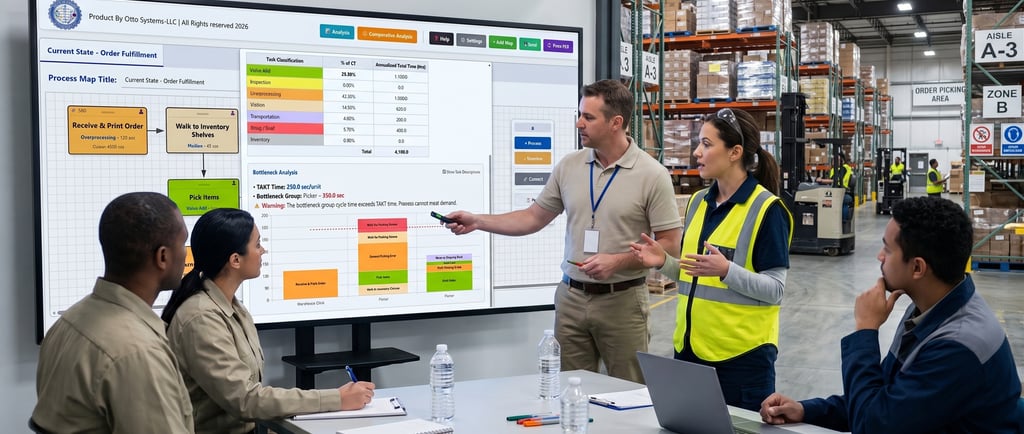
Waste Walker Pro "Friends don't let friends have weak processes".
By OTTO SYSTEMS-LLC | Democratizing improvement tools for the masses.
Waste Walker Pro is a digital process mapping and analysis tool designed specifically for professionals conducting on site waste walks. It allows you to easily map out workflows, time individual tasks, categorize activities for inefficiencies, and automatically calculate the projected hours and dollars saved by comparing your current processes against proposed future state improvements. We believe that true operational excellence requires walking the actual process, mapping the waste, and putting the subject matter experts at the center of the transformation.
Secure & Offline Capable: The program is designed as a standalone, offline-capable companion. This ensures users can map, measure, and analyze their processes securely without relying on cloud servers or paying ongoing "digital rent".
Built-In Observation Tools: Users can conduct observations directly on the floor using tablets or laptops without needing extra equipment. It features a built-in stopwatch inside every process node to capture precise cycle times in real-time.
Dynamic Visual Identification: The application utilizes dynamic color-coding for its process blocks, offering instant visual feedback on the health of the value stream. As users assign classifications (like Value Add, Waiting, or Overprocessing), the nodes automatically change color to highlight clusters of waste. These classifications are fully customizable.
Automated Analytics & Dashboards: The tool automatically calculates Total Cycle Time, Value Add Time, and Process Cycle Efficiency (PCE) based on the mapped data. It also auto-generates visual Pareto charts to pinpoint major waste categories and Bottleneck Analyses to compare operator cycle times against TAKT time.
Comparative ROI Tracking: Users can create multiple map tabs (e.g., Current State vs. Future State). The Comparative Analysis feature directly compares two maps to calculate the variance in cycle time and annualized labor costs, providing concrete ROI for process improvements.
Comprehensive Exporting & Reporting: Workspaces can be saved and loaded as CSV files. It also features a "Print PDF" function that generates a clean, print-friendly view of the active map alongside the full Waste Analysis report.


Support or Inquiries
(260)-225-9395
support@ottosystems.cc
© 2026. All rights reserved.
address
PO BOX 15
WABASH IN 46992